The Apple iOS 26.5 update is one of the most talked-about software upgrades for iPhone users this year. Apple continues to push the limits of smartphone innovation by improving security, battery life, performance, artificial intelligence, and customization. Whether you own the latest iPhone or an older supported model, this update promises a smoother and smarter experience.
Apple has focused heavily on stability and user privacy in iOS 26.5. At the same time, the company introduced several intelligent features that make daily tasks easier and faster. From smarter Siri responses to advanced battery optimization, the update delivers noticeable improvements across the system.
If you have been wondering whether the update is worth installing, this detailed guide will walk you through every important feature, benefit, issue, and tip related to the Apple iOS 26.5 update.
Why the iOS 26.5 Update Matters
Software updates are more than just cosmetic changes. They often fix vulnerabilities, improve speed, and introduce powerful tools that shape the future of mobile technology.
The Apple iOS 26.5 update matters because it focuses on four major areas:
- Security improvements
- AI-powered intelligence
- Performance optimization
- User experience enhancements
Apple has also improved how iPhones handle multitasking, notifications, and battery consumption. This makes older devices feel faster and more reliable.
Another reason this update is important is Apple’s increasing focus on artificial intelligence. Features powered by Apple Intelligence now work more naturally inside apps, messages, and productivity tools.
Devices Compatible With iOS 26.5
Apple continues to support a wide range of devices. The update is available for many iPhones released in recent years.
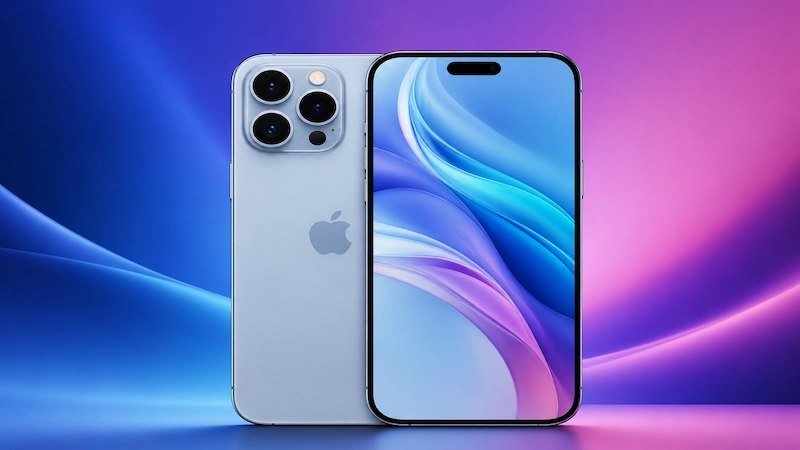
Supported iPhones Include:
- iPhone 16 Series
- iPhone 15 Series
- iPhone 14 Series
- iPhone 13 Series
- iPhone 12 Series
- iPhone 11 Series
- iPhone XS and XS Max
- iPhone XR
- iPhone SE (2nd generation and later)
Older devices may not receive every AI-powered feature because some tools require newer processors.
Major Features Introduced in iOS 26.5
The Apple iOS 26.5 update introduces several exciting changes that improve how users interact with their iPhones every day.
Enhanced Siri Intelligence
Siri has become smarter and faster in iOS 26.5. Apple improved natural language understanding, allowing Siri to handle more complex commands.
Users can now:
- Ask follow-up questions without repeating context
- Control apps more efficiently
- Use voice commands offline for certain tasks
- Receive smarter suggestions based on habits
Siri also integrates more deeply with Apple apps like Mail, Notes, and Calendar.
AI-Powered Smart Suggestions
Artificial intelligence now plays a larger role in the iPhone experience. The update analyzes user behavior to provide smarter recommendations.
Examples include:
- Suggested replies in Messages
- Smart email summaries
- Automatic event creation
- Personalized app suggestions
Apple emphasizes on-device processing, meaning much of the AI works locally for improved privacy.
Improved Notification Management
Notifications are now cleaner and less distracting.
New tools include:
- Smart notification grouping
- Priority alerts
- AI-generated summaries
- Reduced spam notifications
This helps users stay focused while still receiving important updates.
Security Enhancements in iOS 26.5
Security remains one of Apple’s strongest priorities. The Apple iOS 26.5 update introduces several important protections against cyber threats.
Advanced Privacy Controls
Users now have more control over:
- App tracking permissions
- Microphone access
- Camera access
- Location sharing
Apple also improved privacy reports so users can monitor how apps use their data.
For more information about Apple privacy policies, visit Apple Official Website
Protection Against Malware and Tracking
The update includes advanced threat detection systems that identify suspicious app behavior faster.
Security upgrades include:
- Stronger Safari anti-tracking
- Improved phishing detection
- Enhanced password management
- Safer public Wi-Fi protection
These changes make iPhones more secure against modern online threats.
Performance Improvements
One of the biggest highlights of the Apple iOS 26.5 update is improved system speed.
Faster App Launch Speeds
Apps now open faster due to improved memory allocation and background optimization.
Popular apps like:
- Safari
- YouTube
show noticeable responsiveness improvements.
Better RAM Management
Apple optimized RAM handling to improve multitasking. Users can switch between apps more smoothly without frequent reloads.
This is especially helpful for gamers and content creators who use resource-heavy apps.
Reduced System Lag
Animations feel smoother, scrolling is faster, and keyboard response has improved significantly.
Even older iPhones benefit from:
- Reduced overheating
- Better responsiveness
- More stable app performance
Battery Optimization Features
Battery performance is a major concern for iPhone users, and Apple addressed this carefully.
Adaptive Charging
Adaptive charging now learns user habits more accurately.
Benefits include:
- Reduced battery aging
- Better overnight charging management
- Lower heat generation
This extends long-term battery health.
Low Power Enhancements
Low Power Mode is now smarter and activates additional hidden optimizations such as:
- Reduced background refresh
- Smarter brightness management
- Lower CPU activity during idle periods
These improvements help devices last longer on a single charge.
Camera and Photography Upgrades
Photography enthusiasts will appreciate several camera enhancements.
Better Night Mode
Night photography now produces:
- Sharper details
- Less noise
- More accurate colors
Apple improved computational photography for low-light conditions.
Enhanced AI Image Processing
The camera app now uses advanced AI to optimize:
- Portrait shots
- HDR balance
- Skin tones
- Motion capture
Photos appear more natural and detailed than before.
Apple Intelligence Integration
Apple is heavily investing in AI technology, and the Apple iOS 26.5 update expands Apple Intelligence capabilities.
Features include:
- AI-generated writing assistance
- Smart summarization
- Predictive text improvements
- Personalized recommendations
Unlike many competitors, Apple prioritizes privacy-focused AI processing directly on the device.
This approach reduces cloud dependency and improves data protection.
Gaming Enhancements in iOS 26.5
Mobile gaming performance has improved significantly.
New Gaming Improvements
Gamers can enjoy:
- Higher frame stability
- Reduced latency
- Better controller support
- Improved graphics rendering
The update also optimizes thermal performance during long gaming sessions.
Popular games now run more smoothly, especially on newer iPhones with advanced chipsets.
New Accessibility Features
Apple continues to lead in accessibility innovation.
Accessibility Upgrades Include:
- Improved Voice Control
- Enhanced Live Captions
- Better screen reader functionality
- Eye-tracking support
- Customizable touch controls
These features make iPhones easier to use for individuals with disabilities.
Hidden Features Users May Miss
Some smaller features in the Apple iOS 26.5 update are easy to overlook but very useful.
Hidden Gems Include:
- Smarter clipboard suggestions
- Faster AirDrop transfers
- Improved Spotlight search
- Better widget customization
- Enhanced focus modes
- AI-generated reminders
These additions improve productivity without drawing too much attention.
Common Problems After Updating
Although the update is stable, some users may experience temporary issues.
Battery Drain Issues
Battery drain may occur immediately after updating because the system reindexes files in the background.
This usually resolves within 24–48 hours.
Wi-Fi Connectivity Bugs
Some users report occasional:
- Slow Wi-Fi speeds
- Random disconnects
- Bluetooth pairing issues
Restarting the device often fixes these problems.
App Compatibility Concerns
Older apps may need updates to work properly with iOS 26.5.
Developers usually release compatibility fixes quickly after major updates.
How to Install Apple iOS 26.5 Update
Installing the update is simple.
Steps to Update Your iPhone
- Open Settings
- Tap General
- Select Software Update
- Tap Download and Install
- Enter your passcode
- Wait for installation to complete
Ensure your device has enough battery and storage space before updating.
Tips Before Updating Your iPhone
Before installing the Apple iOS 26.5 update, follow these important tips.
Backup Your Device
Use:
- iCloud
- Mac backup
- PC backup
This protects your data if something goes wrong.
Free Up Storage
Large updates require extra storage space. Delete unnecessary files or apps before updating.
Check App Compatibility
Update important apps beforehand to reduce compatibility issues.
Comparison Between iOS 26.5 and Previous Versions
The Apple iOS 26.5 update introduces several improvements over earlier versions.
| Feature | iOS 25 | iOS 26.5 |
|---|---|---|
| AI Features | Limited | Advanced |
| Battery Optimization | Standard | Improved |
| Siri Intelligence | Basic | Contextual |
| Security | Strong | Enhanced |
| Gaming Performance | Good | Better |
| Notification System | Traditional | AI-Powered |
The update clearly focuses on smarter functionality and better efficiency.
Expert Opinions on iOS 26.5
Technology experts generally praise the update for its stability and AI integration.
Positive feedback includes:
- Faster performance
- Better privacy protection
- Improved multitasking
- More polished animations
Some critics believe Apple still needs to improve customization compared to Android devices, but overall reception remains highly positive.
Also Read: Vivo X300 Ultra & Vivo X300 FE Launched: 200MP Camera, Massive Battery & Flagship AI Features
Frequently Asked Questions (FAQs)
-
Is the Apple iOS 26.5 update safe to install?
Yes, the update includes important security patches and performance improvements.
-
Does iOS 26.5 improve battery life?
Yes, many users notice improved battery efficiency due to smarter optimization features.
-
Which iPhones support iOS 26.5?
Most recent iPhones, including iPhone XR and newer models, support the update.
-
Can I downgrade after installing iOS 26.5?
Apple usually allows downgrading for a limited time, but it depends on signing support.
-
Does iOS 26.5 include AI features?
Yes, the update introduces several AI-powered tools and smart suggestions.
-
Why is my iPhone heating up after updating?
Temporary heating can occur while the system indexes files after installation.
The Apple iOS 26.5 update represents another major step forward in Apple’s software ecosystem. With improved AI capabilities, enhanced security, better battery optimization, smoother performance, and stronger privacy controls, the update delivers a polished and intelligent user experience.
Whether you are a casual user, gamer, photographer, or professional, iOS 26.5 offers valuable improvements that make the iPhone smarter and more efficient. While some users may encounter minor bugs after installation, the overall benefits far outweigh the temporary issues.
Apple continues to focus on innovation while maintaining its reputation for security and reliability. For most users, updating to iOS 26.5 is highly recommended.
For more latest updates on Trending News, Entertainment, Automobile, Education, Technology, Jobs, weather and sports visit IndicDaily.